Homes
On the Homes page in Innobrix Studio you can see all Homes created in Home Configurator projects.

From here you can invite buyers or users to configure their own Home. They receive an automated email invitation to create an account and configure their Home.
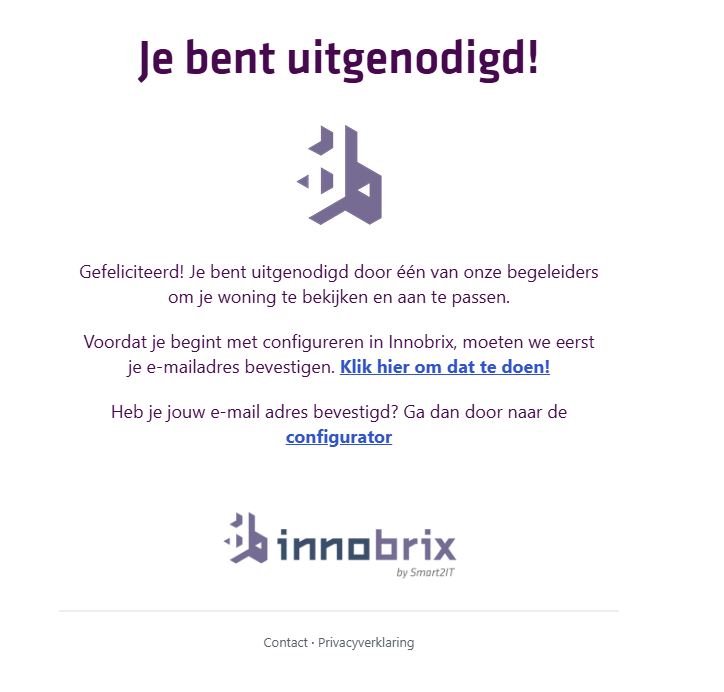
The email content is currently NOT customizable.
Change a Home status
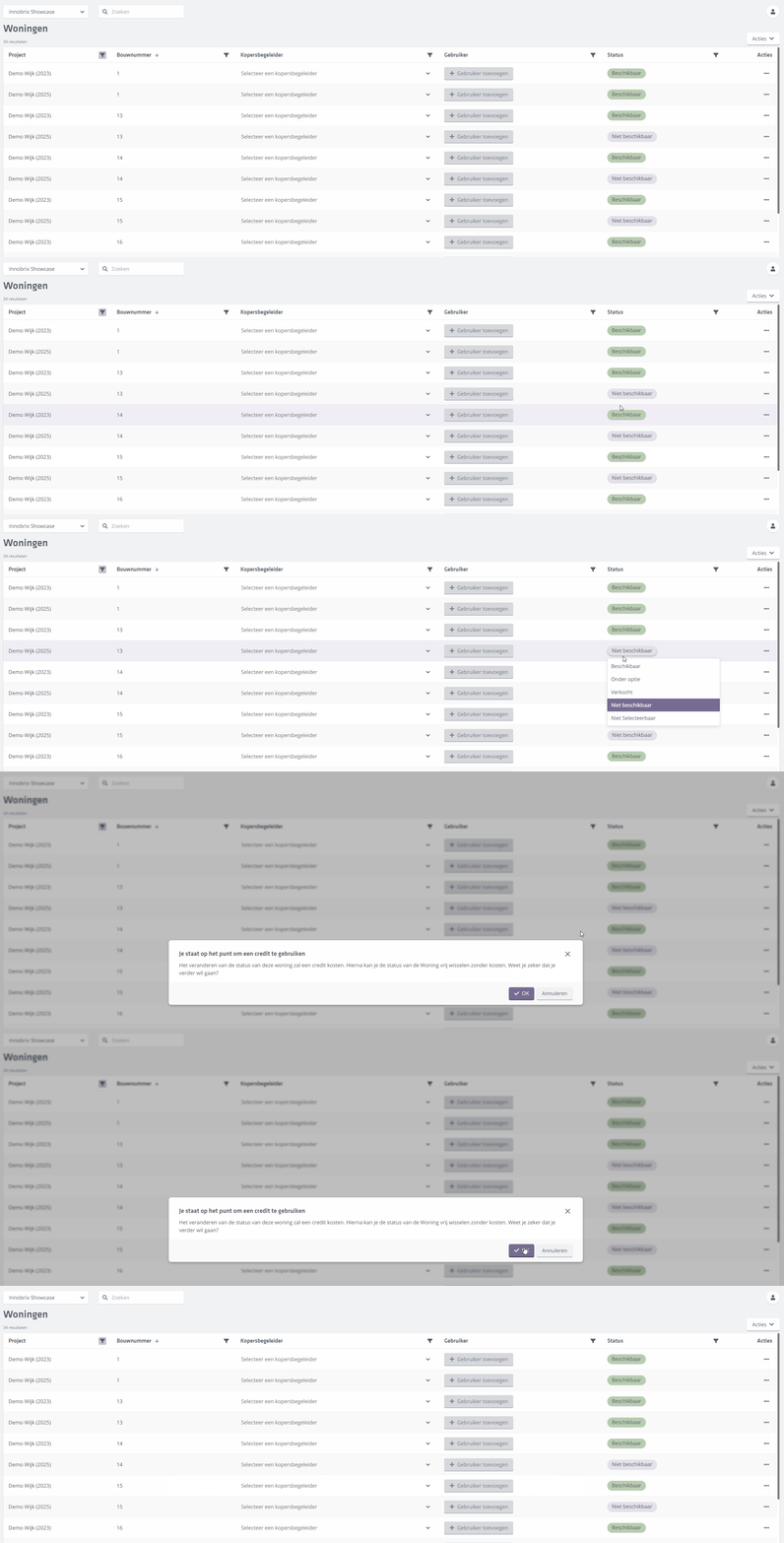
Buyer guidance can change the status of a Home here. Click the status of a specific Home to change it to one of the other available statuses.
Filtering
Lists on the Homes, Configurations, or Leads pages can get long. Use Filters to organize the list via the icon and enter text to filter.
The text you enter in a filter is matched exactly and is case insensitive.
Filters remain active during your session, even if you leave and return to the page. Active filters are indicated by a changed background color on the filter .
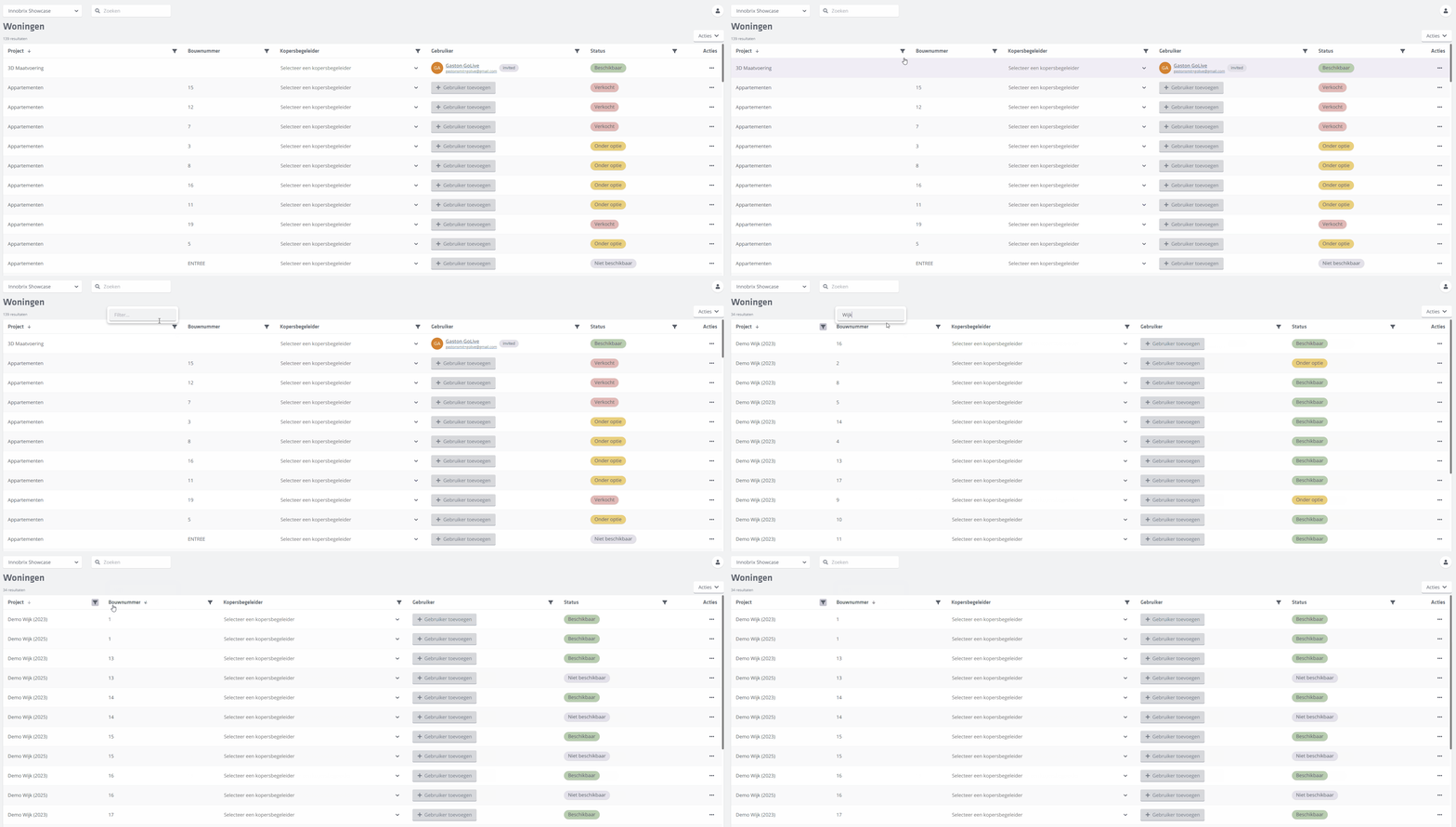
Besides filtering the list of Homes you can also sort. You can sort on all column headers (except Actions). Combined with filtering, this is a quick way to get the list you need.