3.1 - Create a project
Starting a Home Configurator project
In the earlier sections (2.1 through 2.5) of the "Home Configurator" chapter we focused on implementing a model with options. From here we can build a Home Configurator that uses implemented models in a Configurables Library. A Home Configurator project has access to all Libraries you create, so it is not limited to a single Library.
You can create a Home Configurator project on the Home Configurators page in Innobrix Studio.
-
Go to the
Home Configuratorspage and click+ Create new project. -
Enter a name of your choice and click
Save.
Optional: you can change a number of properties if desired.
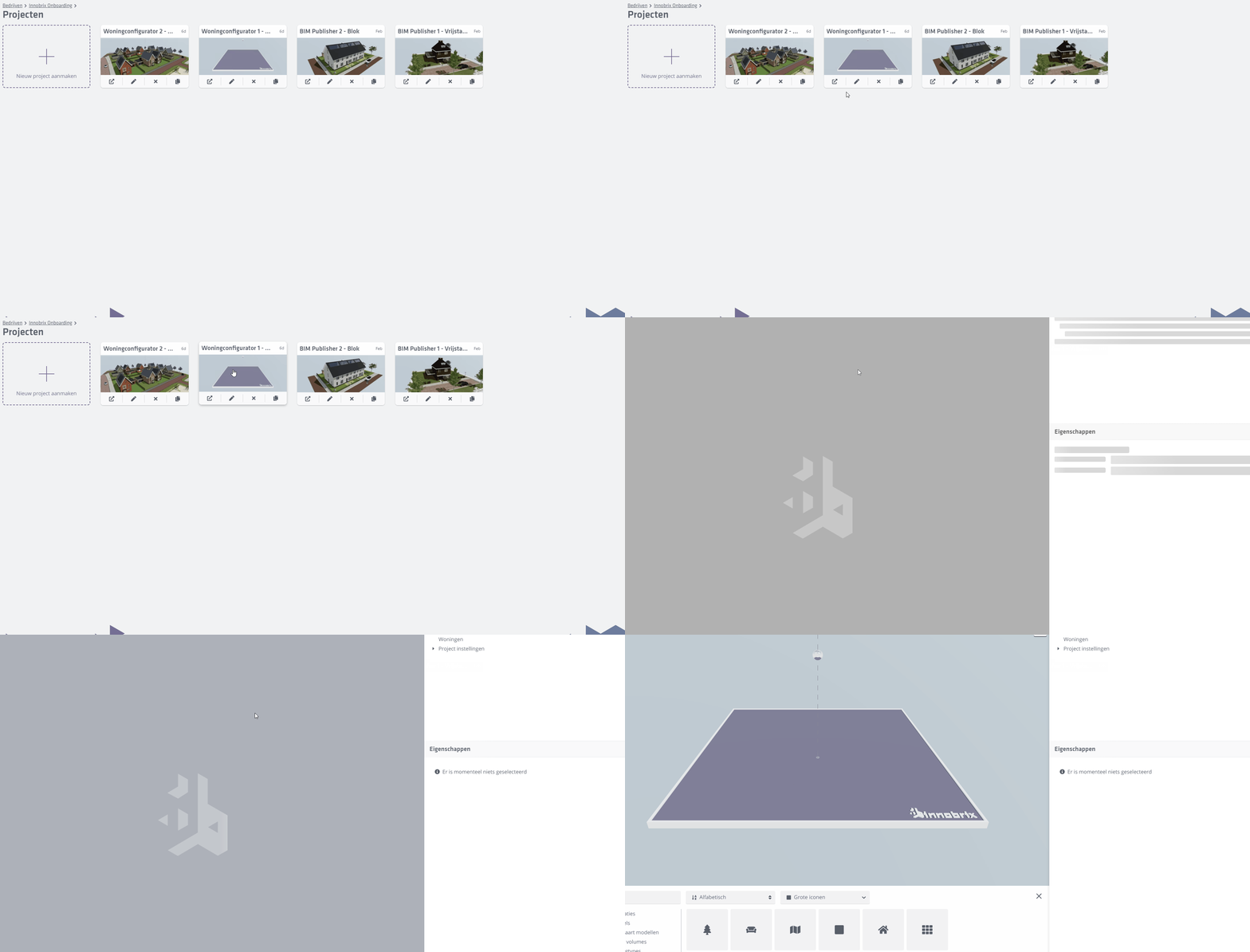
Once the project is created an empty card appears on the page. Under each project card you will see four buttons:
Go to the Innobrix Viewer
Edit project (properties)
Delete project
Duplicate project
The Innobrix Viewer is the final result and the "front end" of your project. It also provides the link or URL that your web developer can embed in the project website.
Think of the Innobrix Viewer as the front of the application.
First, we need to prepare the back end by filling the new project with available content. We do this in the Plan Editor.
Open the Plan Editor for the new project by clicking the (empty) image.