Introduction
Optimizing your project is important for visitor accessibility. If a project loads slowly, visitors may drop off. There is rarely a single culprit; performance is usually a combination of factors. Below are common factors related to your project or plan�s accessibility.
Optimizing load time
Load time is the time it takes to fully load a project or plan.
Load speed depends on:
- Internet connection
Connection speed matters: wired is usually faster than Wi-Fi. Run an online speed test to see your down/up speeds; faster is better.
-
Number of textures used in the scene
-
Number of different decorations and/or furniture
The number of different decorations/furniture impacts load time. More unique assets = more to download = longer load. Note that decoration vs. furniture categories differ in performance.
- Number of different configurables or models in the scene
More configurables means more data to load. Where possible, combine configurables into one type and use a functional option for lot-specific elements (e.g., facades). You do not necessarily need separate configurables per lot or end unit vs. mid-terrace�except when bay widths differ.
Optimizing performance (speed)
Performance refers to how smoothly you can orbit/pan the project. Frame rate depends on:
- Hardware
Performance relies heavily on CPU. While Innobrix also uses the GPU, the CPU handles most geometry rendering. On laptops, avoid power-saving mode; use a performance mode.
- Model quality and level of detail
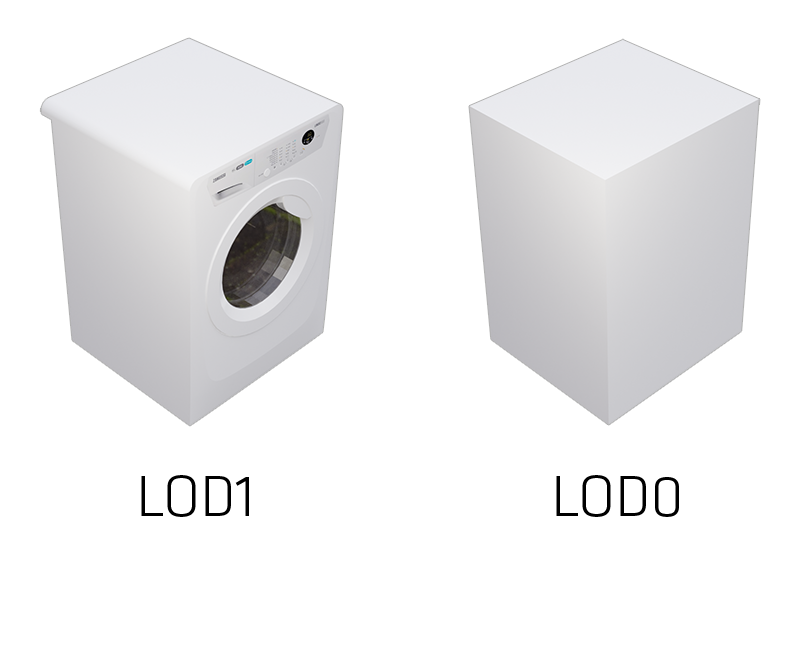
A key factor is how much geometry is exported from Revit. Only export what you need to see (e.g., avoid floor heating elements, annotations). Swap high-LOD items for lower LOD where possible (e.g., replace a detailed washer/dryer with a white mass). Example of LOD from high to low:
- Number of Homes in a project or plan
This is typically the biggest factor. Homes (Configurables) are the heaviest objects. If a project feels heavy, consider splitting it into two links (projects), e.g., lots 1�10 and 11�20.
- Amount of different decorations and/or furniture
Beyond load time, the variety of decorations/furniture impacts runtime performance. The decoration category uses an instancing technique in the Viewer (not in the Editor), which helps end-user performance. Furniture does not use instancing. Guidance: minimize furniture count (especially in projects with many Homes) and limit unique decoration types; reuse many copies of the same decoration (e.g., hedges).
- Intranet If you use an intranet such as CITRIX, graphical performance may not be supported. If you have performance issues, try outside the intranet.
Model add � options
When adding a Model there are options to optimize it for the web. All are on by default except �Overwrite existing materials.�
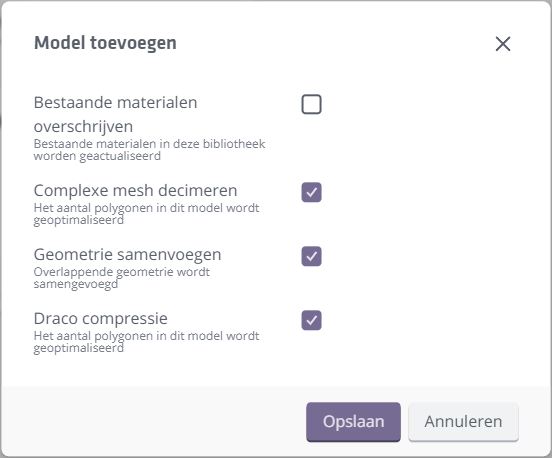
Decimate complex mesh
Adds a decimation step to reduce polygons and improve real-time performance.
Merge geometry
Merges overlapping vertices to reduce polygon count.
DRACO compression
Applies DRACO compression to the web output. DRACO can significantly shrink a GLB, reducing configurator load time.
SmartLOD: selectively disabling columns
You can improve Viewer load time and performance by selectively disabling certain columns from your Configurable. Groups in those columns will not be loaded (rendered) in the Viewer.
Most effective is disabling columns with groups only visible inside the home, leaving just the outer shell.
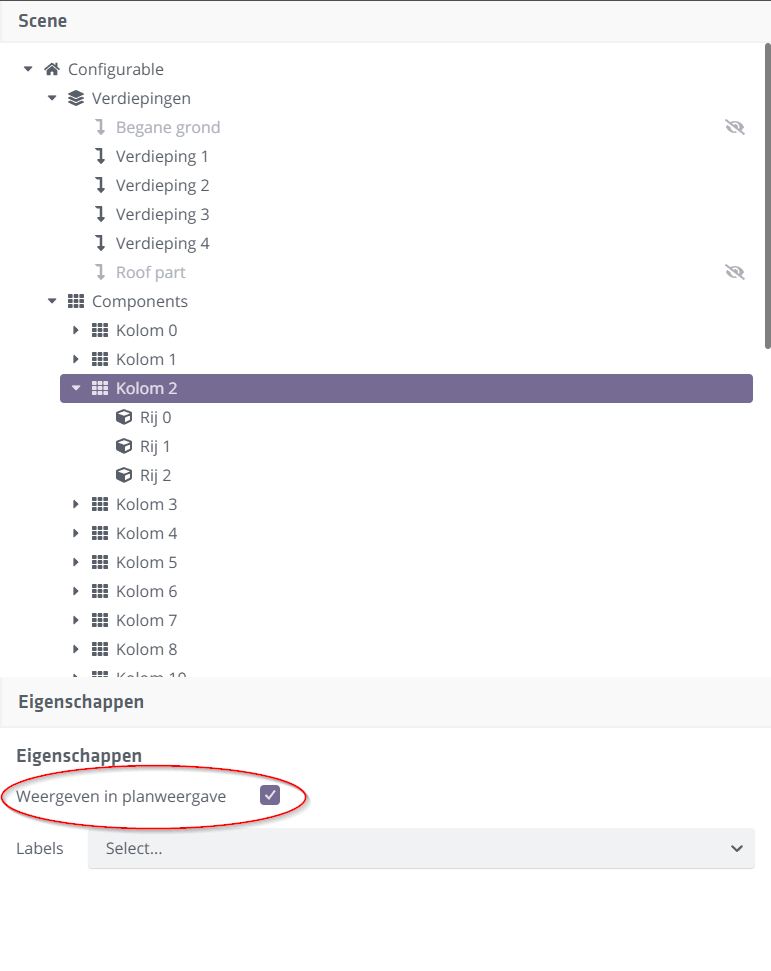
This simple optimization can significantly improve load time and end-user experience in the configurator.