Walk mode
Walk mode
Walk mode (or Walk through mode) is a specific camera position used in the Viewer to visualize walking through the home correctly. On desktop and mobile devices, navigation works in a "Google Street View" manner: a circular icon is projected on the ground showing where you can �jump� to.
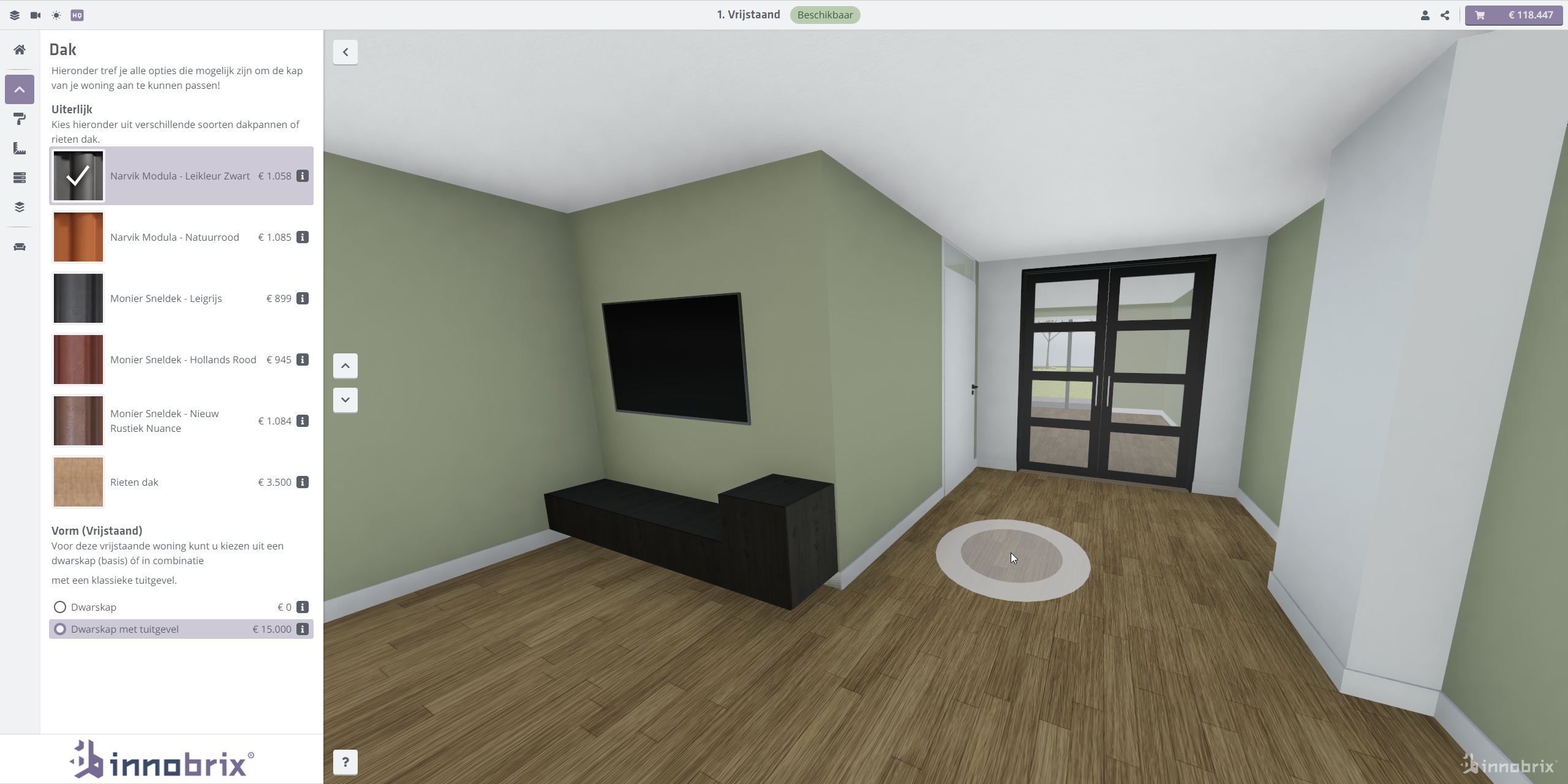
In Virtual Reality (VR) the same approach applies, but you can also physically walk through the space within the physical constraints set by your headset.
Configuring walk mode
You can set one walk indicator for each individual floor (minus one for the roof) of a home, block, or building. Configure Walk mode in the model's Configurable editor under the Looptransforms header within Configurable in the scene hierarchy on the right.
You can recognize the walk indicators by the 3D -icons.
Each icon has its own position and rotation. You can edit these values as text, but it is usually easier to move the icons directly.
- Click a icon and drag the handles of the gizmo to set walk mode for a chosen floor.
- Use the rotation tool to make the
walkindicator face a specific direction.
A camera preview in the lower-left shows how a visitor is positioned (for that floor) when they choose Walk mode.