Columns & labels
Columns
Columns are a core part of how Innobrix handles options. A column typically contains one or more rows/groups. A column is best defined as a category where the groups/rows inside are interchangeable. Swapping happens based on options.
The more options you add to the model, the more columns you will use. Remember the rule: only one group per column can be active. The more columns your model has, the more important it becomes to keep an overview of groups and option mappings. You can maintain this overview by attaching Labels to columns. This creates a filter to quickly show specific columns.
Assigning column labels
Labels can be used to filter and search a grid quickly, especially when a model has many Model Groups and requires regular maintenance.
To assign a label to a column, click a "Column" in the scene outliner and look for the (dropdown) text field under "Properties". Create a new label by placing your cursor in the field and typing; press ENTER to confirm.
Existing labels you reuse can be selected from the same dropdown. Remove a label from a column via the x next to each label.
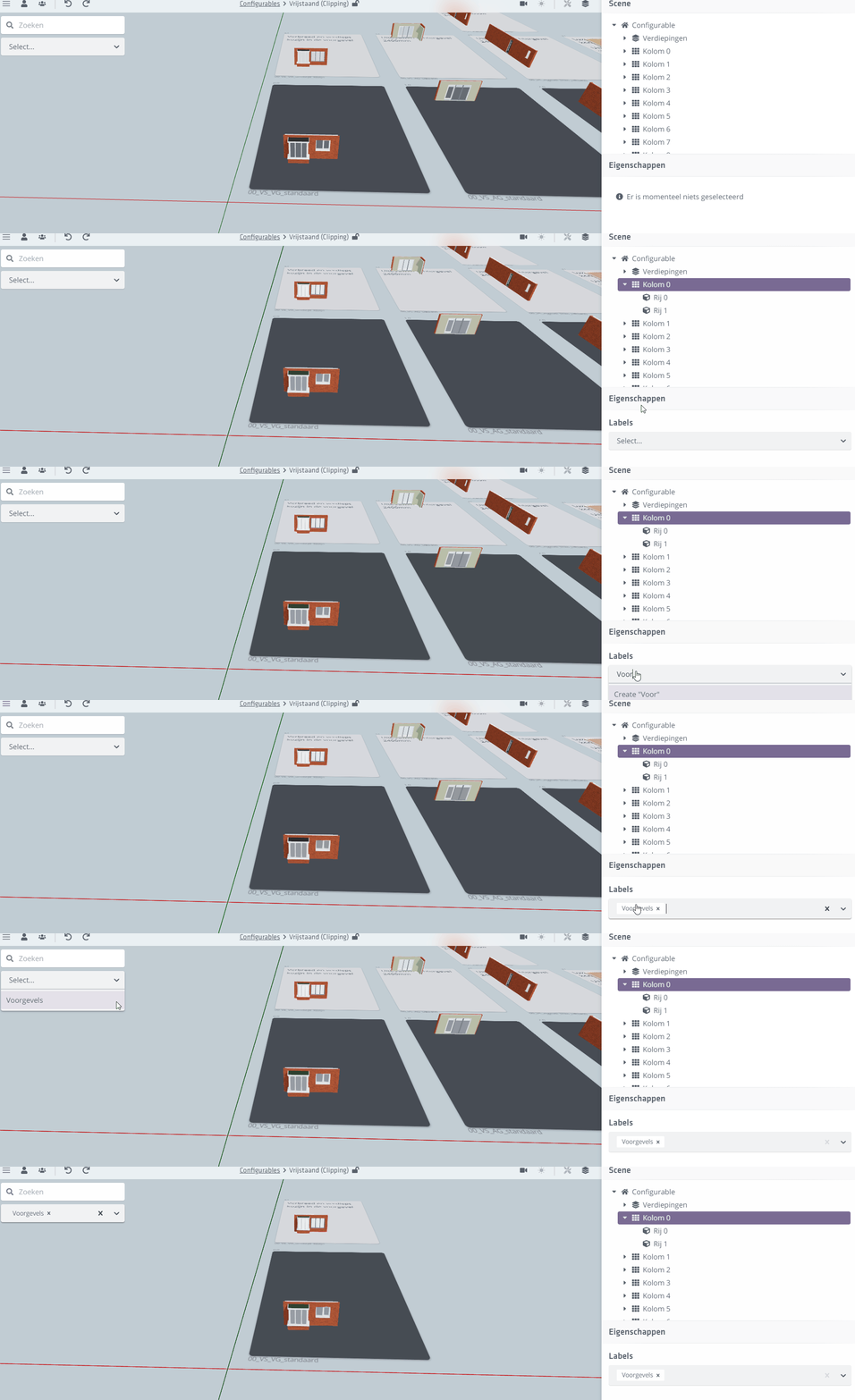
This search/filter functionality is only available when the model is in expanded view and only for models with options.